Accounts
Sign in with Roblox or paste a cookie. Launch, watch live presence, kill instances and act on a whole selection at once.
A Windows launcher for running multiple Roblox accounts side by side, with per-instance performance control and executor and version management.
Download latest release View source on GitHub
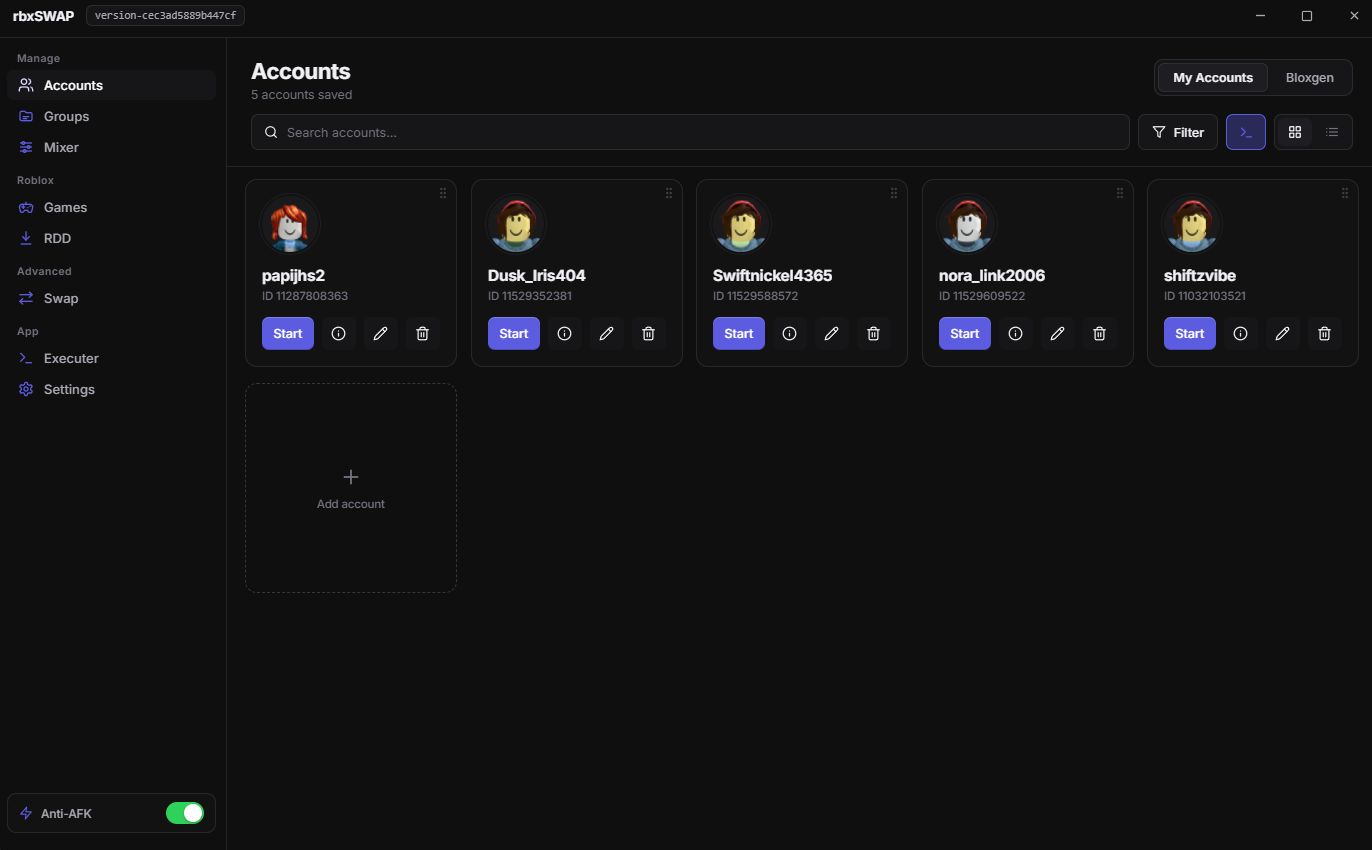
Nine tools in one window, from the first sign-in to the last launch.
Sign in with Roblox or paste a cookie. Launch, watch live presence, kill instances and act on a whole selection at once.
Bundle accounts and launch the whole set with one click, with a performance preset for the group.
Set graphics level, FPS cap, a hard RAM limit and volume for every running client, per instance.
Manage your executors and track which Roblox version each one supports, then install it with one click.
Browse and download any Roblox deployment straight from the CDN and keep several builds side by side.
Clean Roblox traces and change MAC address, machine GUIDs and volume serial between sessions, with a restore backup.
A native helper taps each Roblox window before the 20-minute idle kick, background windows included.
If a launched account is kicked or disconnects, it relaunches into the game it was playing, up to three tries.
Presets, accent colour, surface brightness, corner radius, interface scale and reduce-motion.
Every build is published on GitHub Releases. Pick the installer or the single-file portable app.
Requires Windows 10 or 11 (x64).
Account data is protected with AES-256-GCM using a key derived from your own encryption key with scrypt.
Nothing is uploaded to a rbxSWAP-operated server. The app talks to Roblox itself and to the WEAO version API.
The interface has no direct system access. Every capability is an explicit, auditable channel.
The code is public, so you can check how accounts and cookies are handled before you run it.
Machine identifiers are backed up before Swap changes them, so you can put them back.
rbxSWAP is a Windows desktop app that stores your Roblox accounts locally and launches any of them, or a group of them, into Roblox. It adds per-instance performance control, executor and Roblox-version management, Anti-AFK and auto-rejoin.
From the GitHub Releases page of the project, or with the download button on this page. Each release has an installer and a single-file portable build for Windows.
Yes. The full source code is public on GitHub, so you can see how accounts, cookies and the native helper work. Every build is produced by GitHub Actions and published as a release.
Yes. A native helper holds the singleton mutex Roblox normally uses to allow only one client, so several clients can run side by side. Each instance can have its own FPS cap, graphics level, RAM limit and volume.
Swap cleans Roblox traces from the machine and can change the MAC address, machine GUIDs and volume serial between sessions. It needs administrator rights, creates a backup first, and has a Revert option. A volume serial change needs a reboot.
Yes. rbxSWAP tracks which Roblox version each executor supports through the WEAO API, installs the right build, and can start your executor program together with a launch.
Accounts are stored only on your PC, encrypted with AES-256-GCM. Nothing goes to an rbxSWAP server. If you lose your encryption key the stored sessions cannot be recovered, so keep it safe.
Accounts, launching, version downloads, executor management and graphics/FPS settings work on macOS. Multi-instance, Anti-AFK, Swap, the RAM limit and per-instance volume are Windows only.
No. It is an independent tool. Multi-instancing, idle-keepers, machine-identifier changes and third-party executors can each go against the Roblox Terms of Use and can lead to account action. You use it at your own risk and discretion.